Best Matterport Alternatives for Selling Property Before It Is Ready to Scan
Compare hardware-free Matterport alternatives for 3D walkthroughs, virtual tours, pre-construction marketing, mobile performance, dollhouse views, and high-volume real estate listings.
- Jowita Chmura
- Alternatives
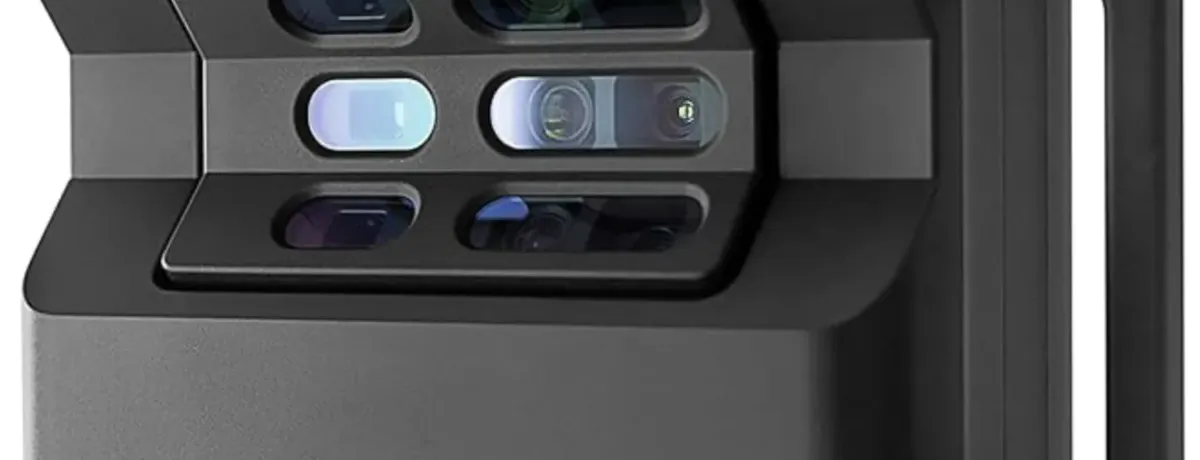
Matterport changed how real estate teams present space online. It made the digital twin familiar. It gave buyers a way to move through rooms before booking a viewing. It helped agents, developers, and asset managers turn properties into interactive experiences instead of static photo galleries, but the classic Matterport workflow still carries a real operational burden. To create a high-quality scan, teams often need dedicated capture hardware, trained operators, on-site access, scanning time, cloud processing, and subscription hosting. That can work beautifully for completed spaces where dimensional documentation matters. It becomes harder when the property is not built yet, the unit is empty, the portfolio is large, or the marketing team needs a faster way to launch listings. That is why many real estate teams now look for Matterport alternatives for 3D walkthroughs that do not require specialist cameras. The newer workflow is software-first. Instead of waiting for a physical scan, teams can start from floor plans, renderings, panoramic images, mobile captures, or pre-construction visuals and build an interactive walkthrough directly in the browser.
If you need absolute measurement accuracy, construction documentation, or insurance-grade capture, Matterport is still a serious option. If you need faster property marketing, off-plan sales visuals, or high-volume virtual tours without dedicated hardware, browser-based alternatives may fit better. Best-fit options:
- QuickArchViz: best for turning concepts, layouts, sketches, and pre-construction material into browser-ready visual walkthrough assets.
- Panoee: best for cost-conscious teams that already have panoramic images and need scalable virtual tour hosting.
- CloudPano: best for sales teams that want live guided walkthroughs and real-time buyer conversations inside the tour.
- Kuula: best for lightweight, fast-loading 360 tour embeds and mobile-friendly presentation.
- Metareal Stage: best when you want a Matterport-like 3D model or dollhouse-style experience without Matterport hardware. The right choice depends less on brand recognition and more on what you are actually trying to market.
What Is a Hardware-Free 3D Walkthrough?
A hardware-free 3D walkthrough is an interactive property tour built from existing or software-generated visual assets rather than from a proprietary camera scan. The input might be:
- a 2D floor plan,
- an architectural sketch,
- a rendered CGI panorama,
- a CAD or BIM export,
- a mobile phone panorama,
- a standard 360 image,
- a sequence of generated interior or exterior visuals.
The platform then turns those assets into a navigable experience using hotspots, room-to-room transitions, labels, embeds, lead capture, or 3D reconstruction tools. This is different from a physical digital twin workflow.
| Workflow | Starting Point | Production Method | Best Use |
|---|---|---|---|
| Hardware scan | Finished physical space | On-site scan with dedicated camera or LiDAR | Documentation, insurance, construction progress, accurate existing conditions |
| Digital walkthrough | Existing digital assets or simple visual inputs | Browser-based tour building, AI visualization, panorama sequencing, or 3D reconstruction | Listings, off-plan sales, pre-construction marketing, remote buyer engagement |
For many property marketing teams, the second workflow is faster and easier to scale.
The Real Problem: You Cannot Scan What Does Not Exist Yet
Matterport is excellent when a property is finished, accessible, clean, and ready to capture. But real estate marketing often starts much earlier.
A developer may need to launch a landing page before construction is complete. An agent may need to sell an empty or unfinished unit. An architecture team may need to explain a concept before detailed rendering begins. A marketing team may need visuals this week, not after a full CGI production cycle.
In those situations, the problem is not only the camera. The problem is the starting point.
If you already have a finished space, a scan-based workflow makes sense. If you only have plans, sketches, model screenshots, or early design material, a visual-first workflow like QuickArchViz can move faster.
Matterport vs Digital Platforms
Matterport is strongest when physical capture accuracy matters. Its official plans are organized around active spaces and supported capture workflows, with higher plans unlocking broader camera support, add-on technical files, APIs, and enterprise collaboration. Matterport also lists capture services and technical outputs such as floor plans, MatterPak files, CAD, BIM, E57, Sketch, and TruePlan options on its pricing pages. Hardware-free tools optimize for a different problem: getting a buyer-friendly spatial experience online quickly.
| Platform | Hardware Required | Best Real Estate Use Case | Sales Angle |
|---|---|---|---|
| Matterport | Often yes for professional capture workflows | Construction documentation, physical property capture, high-accuracy digital twins | Capture and document a finished space when accuracy and existing conditions matter |
| QuickArchViz | No | Pre-construction, off-plan sales, concept visuals, early-stage marketing | Turn plans, sketches, and model screenshots into polished buyer-facing visuals before the property is ready to scan |
| Panoee | No | High-volume 360 tours and branded property portals | Host and organize many property tours when your team already has panoramic assets |
| CloudPano | No | Remote sales teams, live guided tours, lead capture | Turn a virtual tour into a guided sales conversation with buyers who cannot visit in person |
| Kuula | No | Fast mobile-friendly 360 tour embeds | Publish lightweight panoramic tours that load cleanly across listing pages and mobile traffic |
| Metareal Stage | No proprietary camera required, but 360 cameras are commonly recommended | Reconstructing 3D virtual tours and model-like views from panoramas/photos | Build a Matterport-like spatial model when you need more depth than simple panorama navigation |
Prices and plan limits change frequently, so always check the official pricing pages before making a procurement decision.
How We Evaluated the Alternatives
For real estate marketing, the best Matterport alternative is not simply the platform with the longest feature list. It is the platform that removes the most friction from your actual workflow. We evaluated the tools across five practical criteria.
Setup Speed
How quickly can a marketing team move from source material to a working walkthrough? This matters most when a listing needs to go live today, not next week.
Asset Flexibility
Can the tool work with the assets you already have? Some teams start from 360 panoramas. Others start from plans, sketches, model screenshots, static renders, or simple photos. A useful platform should not force every project into the same capture workflow.
Cost and Scalability
A tool that works for one premium listing may become expensive across 100 units. Portfolio teams should look closely at:
- active project limits,
- hosting limits,
- user limits,
- white-label options,
- per-tour or per-space pricing,
- whether cancelled subscriptions affect published tours.
MLS and Website Compatibility
For brokerages, the walkthrough must fit the distribution channel. Look for:
- unbranded links,
- embed codes,
- mobile-safe players,
- custom domains,
- privacy controls,
- lead capture options,
- analytics.
Spatial Realism
Some buyers only need room-to-room navigation. Others need a stronger sense of depth, plan structure, or dollhouse-style orientation. The right platform depends on how much spatial reconstruction the listing requires.
Best Matterport Alternative for Pre-Construction: QuickArchViz
QuickArchViz is the best fit when the property is not ready for a physical scan yet.
Matterport works well when you can walk into a finished space with a camera. But developers, architects, and real estate marketing teams often need visual material much earlier: when they only have a floor plan, a SketchUp/Revit/Archicad model, a rough layout, or an unfinished concept.
QuickArchViz helps bridge that gap. Instead of waiting for staging, photography, or a full CGI production cycle, teams can turn early design material into polished architectural visuals in seconds. Those visuals can then be used in developer landing pages, investor decks, off-plan sales campaigns, listing presentations, social content, and early buyer conversations.
Use QuickArchViz when you need to show the future potential of a space before the space is physically ready to scan. Best for:
- off-plan apartments,
- pre-construction developments,
- early-stage investor concepts,
- empty shells,
- unbuilt interiors,
- floor plan-led property campaigns.
QuickArchViz is built around the earlier moment in the workflow. Instead of starting with a physical scan, you can begin with a sketch, plan, simple layout, model screenshot, or architectural concept and turn it into clearer visual marketing material. This makes it useful for developers and agents who need to communicate spatial intent before the space exists in a polished, camera-ready form.
Best for:
- pre-construction campaigns,
- off-plan sales,
- developer landing pages,
- concept walkthroughs,
- rapid visual iteration,
- teams without in-house 3D production support.
Not best for:
- engineering-grade documentation,
- scanned existing conditions,
- measurement-critical construction progress,
- replacing a full Matterport digital twin when true scan accuracy is required.
Have a floor plan, model screenshot, or early concept? Turn it into a client-ready visualization with QuickArchViz.
This is where the product promise matters: skip rendering, get the render, preserve your exact geometry and camera view, and create client-ready visuals in seconds. The goal is not to compete with a finished-space scan. The goal is to give your sales team persuasive visual material before the property is ready for physical capture.
Best Matterport Alternative for High-Volume Portals: Panoee
Panoee is attractive when scale and accessibility matter. Its positioning is straightforward: browser-based virtual tour creation, no software installation, and support for immersive 360 tours across real estate, hospitality, tourism, architecture, education, museums, and galleries. For agencies that already have panoramic images or rendered 360 assets, Panoee can work as a practical spatial content management layer.
Best for:
- brokerages managing many tours,
- teams that need a low-cost starting point,
- property portals,
- branded tour libraries,
- agents who want browser-based editing without complex software.
The main limitation is that Panoee is not trying to be a Matterport-style digital twin scanner. It is better understood as a flexible 360 virtual tour builder.
Best Matterport Alternative for Remote Sales: CloudPano
CloudPano is strong when the walkthrough is part of a live sales conversation. Its Pro Plus tier highlights features such as unlimited tours, white-label domains, privacy settings, CloudPano Live video chat, lead capture, and MLS-compliant tour cloning. That makes it useful for teams that want more than a passive tour embed. The standout use case is guided remote selling. An agent can walk a buyer through a property tour while discussing the layout, answering questions, and keeping the experience inside the same environment.
Best for:
- relocation buyers,
- international investors,
- commercial leasing,
- sales teams that want guided remote walkthroughs,
- agencies that use tours as lead capture assets.
CloudPano can also support floor plan and dollhouse-oriented features, so it may overlap with some spatial presentation needs beyond simple panorama navigation.
Best Matterport Alternative for Mobile Performance: Kuula
Kuula is a strong fit when the tour needs to load fast and embed cleanly across websites, listing pages, and social traffic. Its official pages position it as virtual tour software for real estate, architecture, construction, galleries, education, and other businesses. Kuula supports 360 content, virtual tour editing, labels, custom hotspots, floor plans, private tours, branding, and high-volume post limits depending on plan.
Best for:
- fast mobile embeds,
- social media distribution,
- real estate landing pages,
- lightweight 360 tours,
- teams that already have good panoramic assets.
Kuula is not a full replacement for Matterport’s automated digital twin workflow. It is better for beautiful, efficient, navigable 360 presentation.
Best Matterport Alternative for 3D Geometry: Metareal Stage
Metareal Stage is one of the more relevant options when you specifically want a 3D model-like walkthrough without Matterport hardware. Its platform supports DIY 3D reconstruction, virtual tours, 3D models, interactive floor plans, and optional processing services. Metareal recommends 360 cameras for capture, but the workflow is software-led rather than locked to a proprietary scanning camera.
Best for:
- teams that want dollhouse-style orientation,
- 3D reconstruction from panoramic inputs,
- model-like property navigation,
- floor plan exports,
- tour variants and interactive labels on higher tiers.
The tradeoff is effort. More geometric control usually means more setup work than a simple panorama tour builder.
Why Hardware-Free Walkthroughs Matter
The shift away from capture hardware is not only about saving money. It changes how quickly a property team can move.
Faster Listing Velocity
If every walkthrough requires a scheduled site visit, every listing is bound by availability, access, travel, setup, scan time, and post-processing. Digital-first workflows reduce that dependency.
Marketing teams can build walkthrough assets from existing materials and launch campaigns before the finished space is physically ready.
Better Pre-Qualification
Virtual walkthroughs help buyers understand layouts before they book a viewing. That can reduce low-intent visits and help sales teams focus on buyers who already understand the property. For remote buyers, investors, and relocation clients, this can be the difference between a passive listing view and a serious inquiry.
More Flexible Creative Control
A physical scan captures the space as it is. That can be useful, but it is not always persuasive.
If the room is empty, poorly staged, dark, cluttered, or unfinished, the tour may simply document the problem. Software-first workflows give teams more room to enhance the presentation before publishing.
Building a Virtual Tour Without a Matterport Camera
A hardware-free virtual tour workflow usually follows three steps.
Step 1: Source the Base Assets
Choose the strongest available starting material. For existing properties, this might be:
- mobile panoramas,
- 360 camera images,
- wide-angle interior photos,
- professional stills,
- room-by-room image sets.
For pre-construction listings, this might be:
- floor plans,
- sketches,
- CAD views,
- BIM screenshots,
- AI-generated interior concepts,
- CGI panoramas.
Step 2: Build the Spatial Sequence
Upload the assets into the chosen platform and create the navigation structure. Place transition points where buyers expect to move:
- entrances,
- hallways,
- kitchen thresholds,
- living room openings,
- bedroom doors,
- balcony or terrace exits.
The goal is not just to show rooms. The goal is to make the property understandable.
Step 3: Add Conversion Elements
A virtual tour should support sales, not only exploration. Add:
- room labels,
- material callouts,
- appliance notes,
- floor plan links,
- lead capture forms,
- booking buttons,
- unbranded MLS links,
- branded website embeds.
Then publish the tour on the property website, listing portal, email campaign, and sales deck.
Improving Virtual Tour Asset Quality
A virtual tour platform cannot fully rescue poor source material. If the base photos are dark, low-resolution, distorted, or cluttered, the walkthrough will magnify those weaknesses. The same applies to unpolished CGI and low-quality floor plans.
For best results, build a layered production workflow:
- Use CAD, BIM, or QuickArchViz-style tools to clarify layout and spatial story.
- Use professional photography or clean 360 captures for completed spaces.
- Improve lighting, color, vertical lines, and image cleanliness before upload.
- Keep room names and navigation labels consistent.
- Test the tour on mobile before publishing.
The strongest property walkthroughs are not only interactive. They are visually calm, easy to navigate, and clear enough for a buyer to understand the space without explanation.
When QuickArchViz Should Come Before Matterport
QuickArchViz and Matterport do not need to fight for the same moment in the sales timeline. They solve different problems at different stages of the property lifecycle.
Use QuickArchViz before construction when the team needs to show what the project can become from plans, sketches, CAD screenshots, BIM views, or early concepts.
Use QuickArchViz during design and sales when the layout is still being explained, investor material is being prepared, or buyers need to understand the future interior before the final space exists.
Use Matterport or a 360 tour platform after completion when the property is clean, accessible, staged, and ready to be captured as it exists.
Use Matterport, CloudPano, Kuula, Panoee, or Metareal Stage for final listing tours, scanned documentation, guided remote showings, or panoramic embeds depending on the level of spatial accuracy, interactivity, and hosting control you need.
In simple terms: QuickArchViz helps you sell the future version of the space. Scan-based tools help you document the finished version.
Decision Guide
Choose Matterport if:
- the property exists physically,
- measurement reliability matters,
- documentation is part of the deliverable,
- you need a mature digital twin ecosystem,
- you have the budget and time for capture logistics.
Choose QuickArchViz if:
- the property is unbuilt or still conceptual,
- you have floor plans, sketches, or model views,
- you need fast visual walkthrough material,
- you want a browser-first workflow with low technical friction.
Choose Panoee if:
- you already have panoramic images,
- you need low-cost tour hosting,
- you manage many property tours.
Choose CloudPano if:
- your sales team runs remote guided viewings,
- lead capture and live video chat matter,
- MLS-friendly cloning is part of the workflow.
Choose Kuula if:
- mobile performance matters most,
- you need clean 360 embeds,
- you want a lightweight tour editor for existing panoramic assets.
Choose Metareal Stage if:
- you want stronger 3D geometry,
- you need an interactive floor plan or dollhouse-like structure,
- you are willing to spend more time reconstructing the space.
FAQ
Is Matterport worth it for real estate agents in 2026?
Matterport is still worth it when the goal is high-quality physical capture, dimensional documentation, construction progress, insurance workflows, or a polished digital twin of an existing space. For everyday property marketing, pre-construction campaigns, and high-volume listings, hardware-free alternatives can be faster and easier to scale.
What is the cheapest Matterport alternative?
Panoee and Kuula both offer accessible entry points for teams that already have panoramic or 360 assets. The cheapest option depends on how many tours you publish, whether you need branding, and whether the platform limits active projects or hosted content.
Which Matterport alternative has a dollhouse view?
Metareal Stage is a strong option when you want a dollhouse-style or model-like experience without Matterport hardware. CloudPano also promotes 3D dollhouse floor plan features for virtual tours, depending on the workflow and plan.
Can I build a virtual tour directly from 2D floor plans?
Yes. For pre-construction and off-plan marketing, platforms such as QuickArchViz can help turn layouts, sketches, or concept material into clearer visual walkthrough assets. You can also export CGI panoramas from design software and assemble them in a tour builder such as Kuula, CloudPano, Panoee, or Metareal Stage.
Do Matterport alternatives work without a 360 camera?
Yes, but it depends on the platform. Some tools can work from rendered panoramas, mobile captures, standard images, plans, or generated visual assets. Others perform best when supplied with proper 360 panoramas, even if they do not require proprietary Matterport hardware.
Can QuickArchViz replace Matterport?
QuickArchViz does not replace Matterport for accurate scans of existing spaces. It is better understood as a pre-scan or pre-construction visualization workflow. Use QuickArchViz when you need to create persuasive visual material from plans, sketches, CAD screenshots, BIM views, or early design concepts before the property is ready for physical capture.
Final Takeaway
Matterport remains one of the strongest options when you need an accurate scan of a finished property. But not every real estate marketing workflow starts with a finished space. If your team needs to promote an off-plan apartment, explain a future interior, sell a development before completion, or turn early design material into buyer-facing visuals, a hardware-free workflow may be faster.
Use Matterport when you need to document what exists. Use QuickArchViz when you need to show what a space can become.
What Is Matterport?
Matterport is a mature digital twin and spatial capture platform for documenting finished physical spaces. It is especially useful when a real estate, construction, insurance, or facilities team needs accurate existing-condition capture, 3D scanning, floor plan services, or a polished walkthrough of a completed property.
What Is QuickArchViz?
QuickArchViz is a hardware-free visualization workflow for the earlier moment in the property sales timeline. It helps teams turn floor plans, sketches, CAD screenshots, BIM views, model screenshots, and early concepts into polished buyer-facing visuals before the property is finished or ready to scan.
Quick comparison
| Criteria | Matterport | QuickArchViz |
|---|---|---|
| Best workflow stage | After the property is complete, accessible, clean, and ready for physical capture. | Before or during construction, while the team is still selling from plans, concepts, model views, or early design material. |
| Starting point | A finished physical space that can be scanned on-site. | Plans, sketches, CAD/BIM screenshots, model screenshots, and early visual concepts. |
| Primary sales role | Document what already exists. | Show what a space can become before it is ready to scan. |
Matterport vs Hardware-Free Alternatives
| Feature / Vector | Matterport | QuickArchViz | 360 Tour Platforms |
|---|---|---|---|
| Hardware dependency | Often tied to capture hardware or professional scanning workflows | No scanning hardware required | Usually no proprietary hardware, but 360 images often help |
| Best real estate moment | Finished property documentation | Pre-construction, off-plan sales, and early-stage marketing | Listing tours after visuals or panoramas already exist |
| Input material | Physical space | Plans, sketches, screenshots, model views, concepts | 360 panoramas, rendered panoramas, or uploaded room images |
Choose Matterport if...
Choose QuickArchViz if...
Feature comparison
Pre-construction marketing
Matterport
Matterport is strongest once there is a real space to capture.
QuickArchViz
QuickArchViz is built for the earlier stage, when the team only has plans, screenshots, sketches, or concepts.
For off-plan property sales, QuickArchViz fits before the scan is possible.
Finished-space documentation
Matterport
Matterport remains a strong choice when accuracy and existing-condition capture matter.
QuickArchViz
QuickArchViz is not a replacement for scan-accurate documentation.
Use the scan workflow when the finished property itself is the source of truth.
Sales material speed
Matterport
Matterport depends on access, scheduling, capture, and processing.
QuickArchViz
QuickArchViz can create client-ready visuals from early design material in seconds.
When the team needs visuals this week, starting from existing design files can be faster.
Pricing comparison
How to compare cost
Matterport cost should be evaluated across hardware, capture logistics, active spaces, hosting, and optional technical outputs. QuickArchViz should be evaluated against the cost and delay of producing early CGI or waiting for a property to become scan-ready.
Use cases
Use QuickArchViz before Matterport
Create buyer-facing visuals for off-plan apartments, future interiors, developer landing pages, investor decks, and early listing campaigns.
Use Matterport after completion
Capture the finished property when accuracy, documentation, and existing-condition walkthroughs matter.
Use 360 tour platforms for publishing
Use tools such as Panoee, CloudPano, Kuula, or Metareal Stage when you already have panoramas or tour assets to host, sequence, or present.
Common alternatives
Panoee
A browser-based 360 virtual tour builder for teams that already have panoramic assets and need scalable tour hosting.
CloudPano
A virtual tour platform with guided sales, lead capture, and remote walkthrough features.
Kuula
A lightweight 360 tour platform suited to fast mobile-friendly embeds and property landing pages.
Metareal Stage
A software-led option for model-like tours and dollhouse-style presentation from panoramic inputs.
FAQ
Can QuickArchViz replace Matterport?
QuickArchViz does not replace Matterport for accurate scans of existing spaces. It is better understood as a pre-scan or pre-construction visualization workflow. Use QuickArchViz when you need persuasive visual material from plans, sketches, CAD screenshots, BIM views, or early design concepts before the property is ready for physical capture.
When should I use Matterport instead?
Use Matterport when the property exists, scan accuracy matters, documentation is part of the deliverable, or the team needs a mature digital twin of a finished physical space.
Can I create property marketing visuals before construction is complete?
Yes. A visual-first workflow can start from plans, sketches, model screenshots, CAD views, BIM views, or early concepts, which makes it useful for off-plan sales and pre-construction marketing.
Show the property before it is ready to scan
Turn floor plans, model screenshots, sketches, and early concepts into client-ready QuickArchViz visuals before construction is complete.
Create client-ready visuals