QuickArchViz for Architects
AI rendering for architects is a fast visualization workflow that turns early design materials such as 3D viewport screenshots, sketches, and concept models into realistic architectural previews within seconds. AI rendering helps architects present ideas faster, explain design intent more clearly, and make better visual decisions with clients.
- Jowita Chmura
- Architecture teams

What AI Rendering Helps Architects With?
When You Need Client Approval Before BIM Detailing
Problem: Revit or Archicad setup can consume 15-20 hours before the client asks for a major pivot.
AI leverage: Show atmospheric options from low-detail massing first, then invest BIM hours only after direction is approved.
When You Need to Test Facade Directions in Minutes
Problem: Manual texture swaps and test renders slow down internal design decisions.
AI leverage: Iterate through facade treatments such as concrete, curtain wall, timber, or weathered steel during the design session.
When You Cannot Afford 2-3 Day Rendering Cycles
Problem: Fast projects lose momentum when every visual update takes 48 hours.
AI leverage: Turn morning feedback into structurally accurate revised visuals by the afternoon.
When You Prepare Competition Submissions Under High Time Pressure
Problem: Teams spend scarce time on atmosphere, context, and background polish instead of the core idea.
AI leverage: Generate context, lighting, and material mood quickly so senior designers can stay focused on spatial quality.
How Architects Use QuickArchViz?
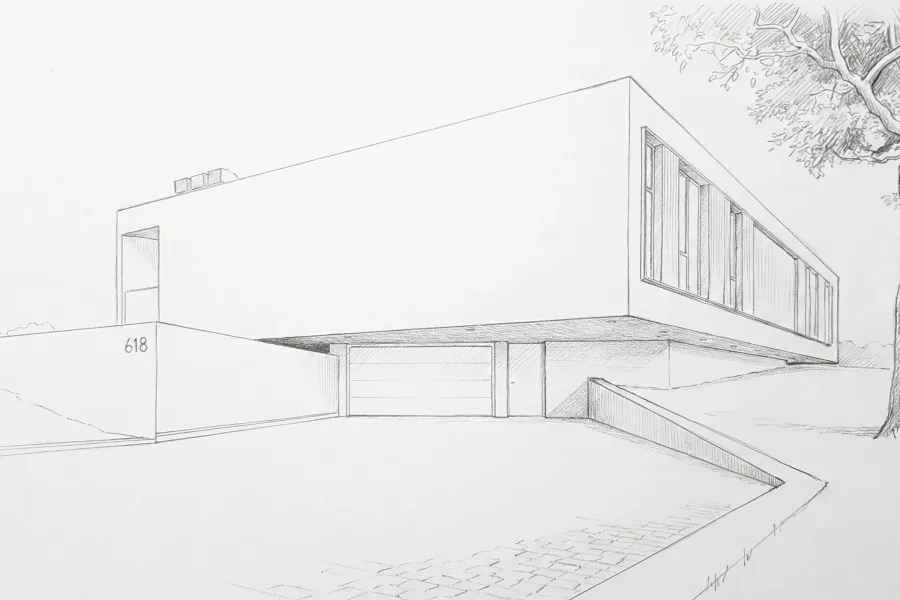
Turn rough concepts into client-ready previews from a simple sketch or screenshot.
Upload sketch or screenshot of simple model and use QuickArchViz to add lighting, material direction, context, and atmosphere while keeping the main proportions readable.
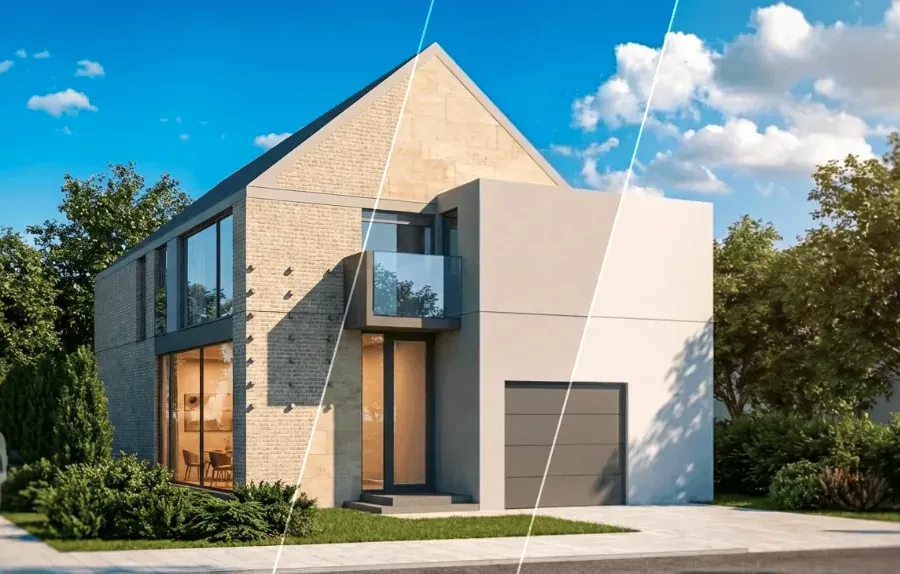
Test material options and help clients make faster design decisions.
Quickly compare different finishes, colors, and materials so clients can understand the options and make confident decisions sooner.
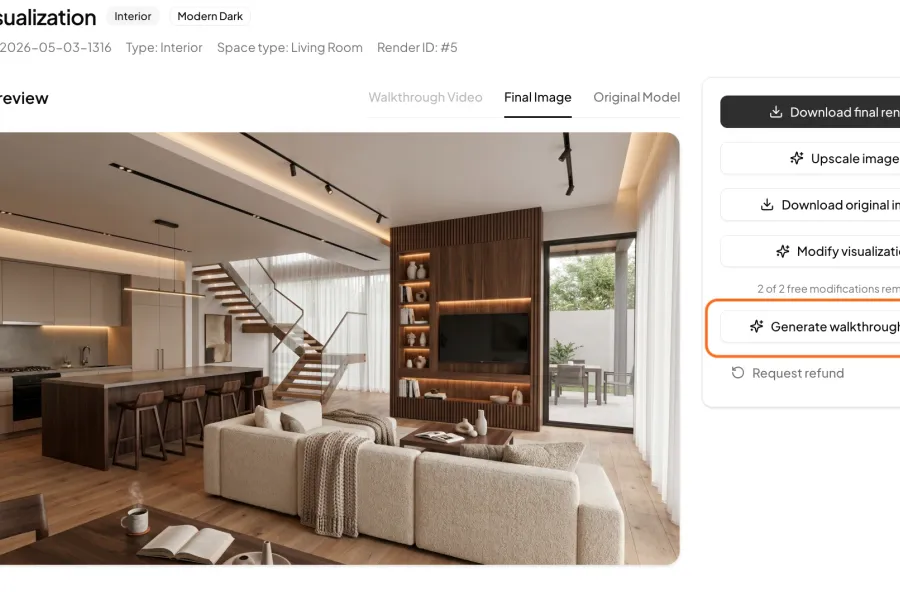
Help clients feel the space with short walkthrough videos
Turn a still visualization into a subtle architectural video that shows mood, scale, and spatial flow — ideal for client meetings, concept presentations, and faster project approval.
AI rendering that respects the architectural idea
Architects usually do not need a random image generator. They need a fast way to make an existing idea easier to discuss. QuickArchViz fits that moment by using the material you already have: a viewport screenshot, rough massing image, hand sketch, clay render, or early facade study.
The goal is not to skip design judgment. The goal is to make design judgment visible earlier. A stronger preview helps a client understand scale, atmosphere, material intent, and tradeoffs before the project reaches the expensive final visualization stage.
Why It Is Worth Implementing: The Business and Financial ROI
The introduction of an architecture-specific AI layer into a professional workflow provides measurable advantages that scale with studio size.
Turning Non-Billable Hours Into Profit Margins
In traditional fee structures, early-stage conceptual development can easily consume profit margins if rendering cycles run out of control. By slashing the time required to create exploratory visuals by up to 90%, a studio directly reduces non-billable overhead. This shifts resource allocation from software troubleshooting to billable design refinement.
Eliminating Client Decision Paralysis
Non-technical clients cannot accurately extrapolate a finished building from a 2D plan or an untextured 3D viewport. This communication gap is the primary driver of extended revision cycles. QuickArchViz provides immediate visual clarity, giving clients the confidence to make decisions faster and preventing late-stage scope creep.
Related use cases


Facade massing review for an early client meeting
Use QuickArchViz to turn a simple concept massing image into a warmer architectural preview before the design is ready for full production rendering.
View use case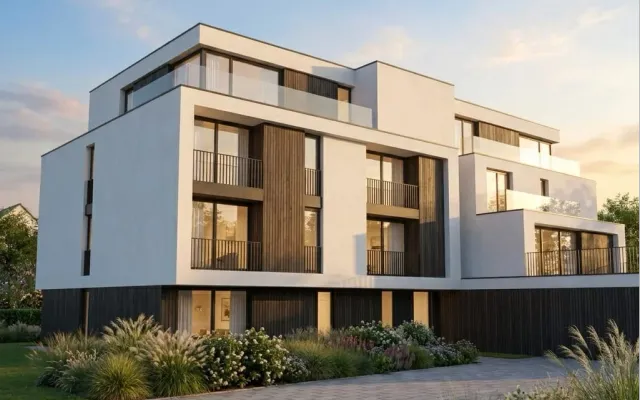
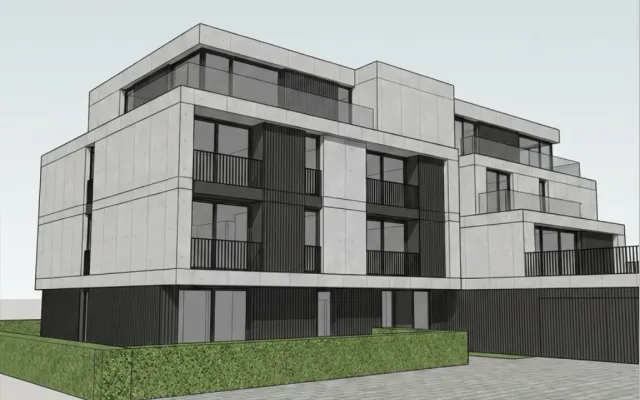
Turn a 3D Model Screenshot into a Photorealistic Exterior Visualization in Under 60 Seconds
Do not waste time manually setting materials, lights, or render engines. Upload a simple screenshot from Archicad, Revit, or SketchUp, choose a ready style, and QuickArchViz creates a client-ready visualization automatically.
View use case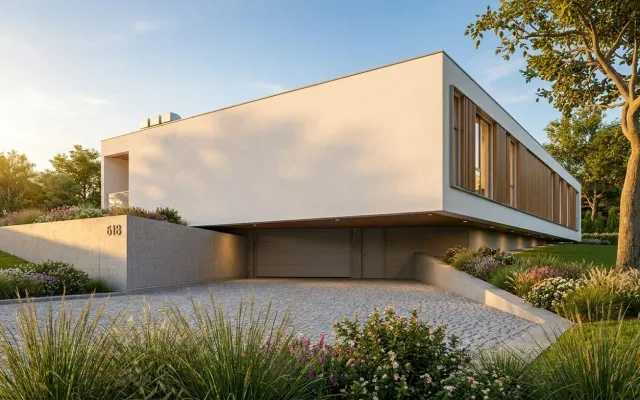
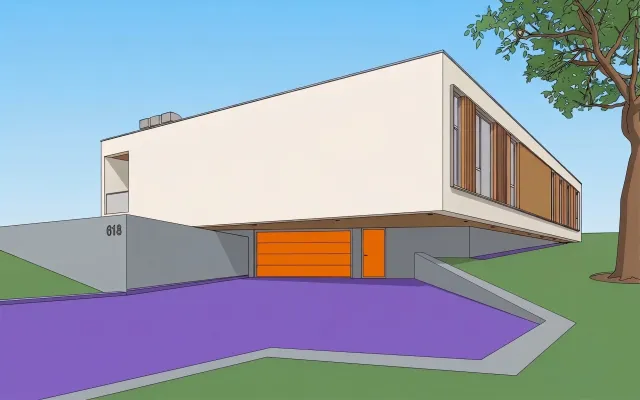
How to Set Materials from a Screenshot
A simple screenshot from Revit, SketchUp, or Archicad is enough. QuickArchViz can automatically prepare a photorealistic visualization, or you can use Advanced Mode to map your own materials based on the colors used in the model.
View use caseRelated prompts
Architecture Meeting Agenda Builder
Turn loose meeting topics into a focused architectural meeting agenda.
View promptComplete Architectural Project Checklist Generator
Generate a phase-by-phase architectural project checklist from rough project notes.
View promptBudget-to-Schedule Alignment Checker
Check whether financial deadlines and architectural milestones are aligned.
View promptFAQ
What is AI rendering for architects?
AI rendering for architects is a cloud-based process that utilizes machine learning to convert 3D CAD or BIM viewports into realistic visual previews. Unlike traditional rendering software, it requires no manual lighting setup or material mapping, generating contextual options in less than 60 seconds.
Why use AI instead of traditional rendering engines?
Traditional engines (like V-Ray or Lumion) are highly effective for final marketing assets but are too slow for early-stage design exploration. AI rendering allows teams to test facade options, materials, and atmospheric concepts instantly, saving time during schematic design phases.
How does geometry preservation work in QuickArchViz?
The platform utilizes a specialized edge-tracking layer that locks the original lines, camera perspective, and structural boundaries of your viewport export. The AI then maps materials and lighting over that matrix, ensuring the architecture is never distorted or modified.
Can I specify exact materials using this AI platform?
Yes. The engine is trained specifically on architectural terminology. By inputting structured text parameters, you can precisely guide the placement of finishes, such as specifying smooth architectural concrete, curtain wall systems, or specific timber cladding.
Does this replace traditional BIM or visualization workflows?
No. QuickArchViz functions adjacent to your existing CAD/BIM software. It is optimized to accelerate schematic design, massing studies, and early client reviews. Once design intent is finalized, production teams can proceed to detailed BIM documentation and final high-end marketing renders as usual.
Build a faster visual review workflow
Start with the architecture use cases, then use prompts to turn each review into decisions, tasks, and next steps.
Browse architecture use cases